LuLu Balance Check Online – Salary ATM & Money Card Enquiry
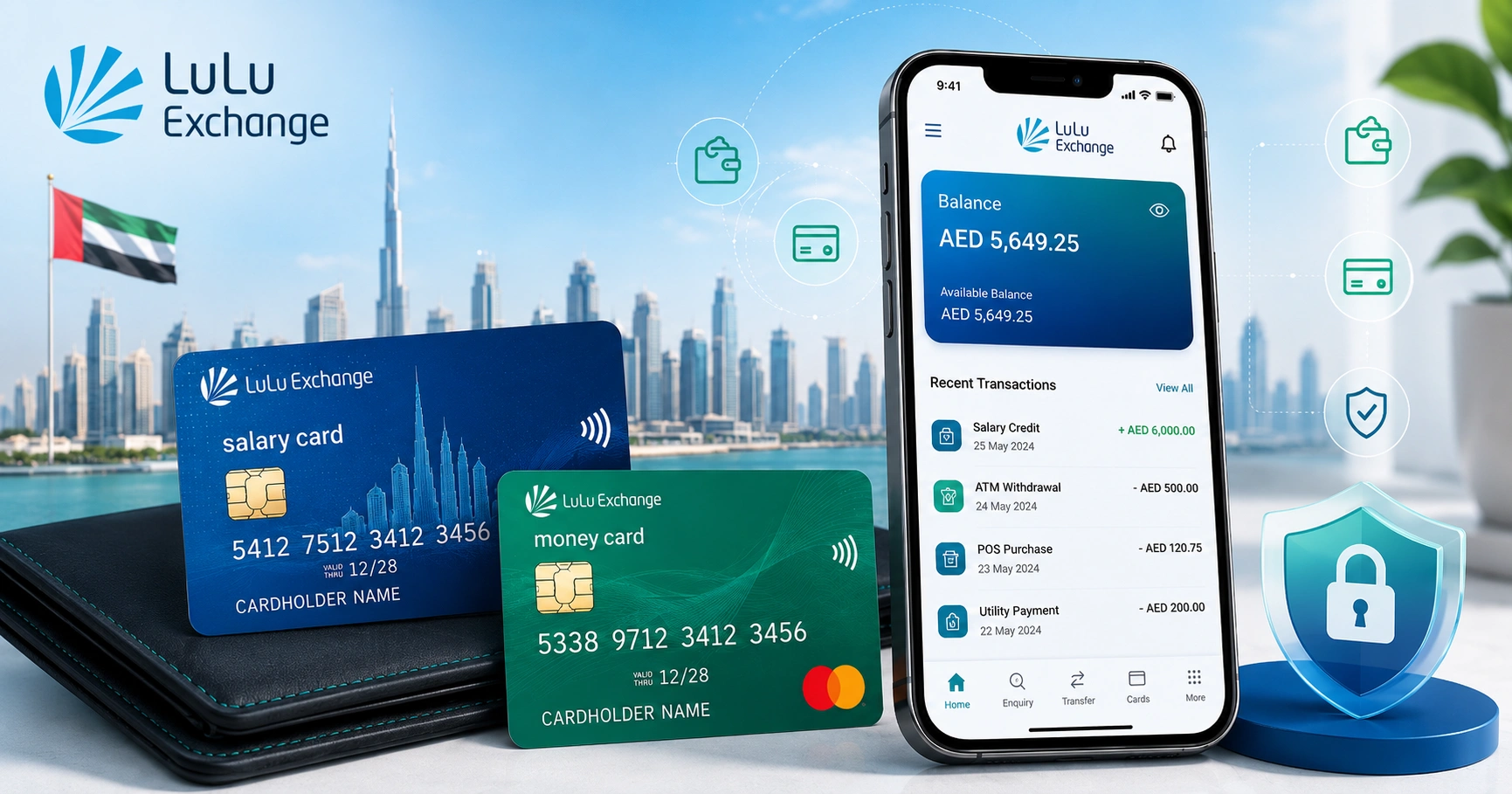
LuLu balance check helps UAE customers view the available balance on a LuLu salary card, prepaid card, LuLu Money card, wallet, or gift card. Most users search for this service when they want to confirm salary credit, check remaining funds, review recent transactions, or avoid payment decline before shopping or withdrawing cash.
In the UAE, LuLu Exchange salary cards are widely used by workers who receive wages through payroll or WPS-linked salary services. LuLu Money app users can also manage cards, check transaction history, reset PIN, block or replace cards, and monitor their account more easily from a mobile phone.
What Is LuLu Balance Check?
LuLu balance check means checking the remaining amount available on a LuLu-linked card, salary card, wallet, or gift card. The method depends on the type of product you have and where it was issued.
For UAE users, the term usually refers to LuLu salary card balance check. These cards are often used by employees who receive monthly wages through their employer and want a quick way to confirm if the salary has arrived.
Quick Ways to Check LuLu Balance in UAE
Here is a simple comparison of the most common LuLu balance check methods used in the UAE.
| Method | Best For | Internet Needed | What You Need |
|---|---|---|---|
| LuLu Money app | Salary card, LuLu Money card, wallet balance | Yes | Registered mobile number and login |
| ATM balance inquiry | Salary or prepaid card users | No | Card and PIN |
| SMS balance check | Basic balance inquiry | No | Registered mobile number and correct SMS format |
| LuLu Exchange branch | Card issues, blocked card, salary not showing | No | Emirates ID and card |
| Customer care | Account support and complaints | Usually no | Registered details for verification |
| Website or card portal | Gift cards or supported prepaid cards | Yes | Card number, PIN, or card ID |
Types of LuLu Cards and Balances You Can Check
Not every LuLu card works the same way. Before using any LuLu balance check method, identify which card or account you have.
LuLu Salary Card
A LuLu salary card is usually issued through an employer for wage payments in the UAE. Many workers use it to withdraw cash, make payments, check salary credit, and transfer money through supported services.
This card is useful for employees who may not have a traditional bank account. Balance updates normally depend on when the employer processes salary through the payroll or WPS system.
LuLu Money Card
A LuLu Money card is linked with LuLu Money services and may support card management through the mobile app. Users can check balance, transaction history, and card status from the app if the card is linked correctly.
The LuLu Money app is usually the most convenient option for users who want mobile access without visiting a branch.
LuLu Prepaid Card
A prepaid card contains a loaded amount that can be used for spending, withdrawal, or selected services depending on the card type. The available balance decreases after each transaction.
For prepaid card users, checking balance regularly helps avoid failed payments and ATM withdrawal errors.
LuLu Hypermarket Gift Card
LuLu gift cards are mainly used for shopping at LuLu Hypermarket or related retail outlets. These may be physical or digital, depending on how the card was purchased.
Gift card balance checking usually requires the card number and PIN, or support from the store counter.
LuLu Wallet or Digital Balance
Some users may have digital balances inside LuLu Money or related services. This can include remittance-related balances, wallet funds, or card-linked values.
Wallet balance is normally checked through the app after logging in with the registered mobile number.
LuLu Balance Check Through LuLu Money App
The LuLu Money app is one of the easiest ways to check LuLu salary card balance in the UAE. It is especially useful if your salary card or LuLu Money card is already linked to your registered mobile number.
Follow these steps:
- Open the LuLu Money app on your mobile.
- Log in using your registered mobile number or approved login method.
- Go to the home screen.
- Select LuLu Money Cards or My Cards.
- Choose the card you want to check.
- View your available balance and recent transactions.
The app may also let you manage card settings, reset your PIN, check transaction history, block a lost card, or request support for card-related issues.
Benefits of Using the App
The app is useful because it gives more than a basic balance figure. You can usually check recent activity and confirm if a transaction has been posted.
Key benefits include:
- Quick LuLu balance check from mobile
- Recent transaction history
- Card management options
- PIN reset support for eligible cards
- Lost or blocked card support
- Easy access for UAE salary card users
LuLu Salary Card Balance Check by ATM
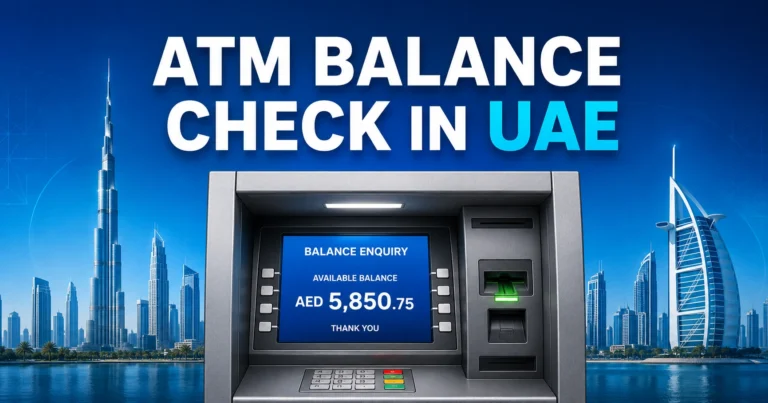
ATM balance inquiry is a practical option if you do not have mobile internet. Many UAE salary card users prefer this method because it works directly with the card and PIN.
Follow these steps:
- Visit a supported ATM.
- Insert your LuLu salary card or prepaid card.
- Choose your preferred language.
- Enter your card PIN.
- Select Balance Inquiry.
- View the balance on screen or print a receipt.
For LuLu Exchange salary cards, supported ATM access may depend on the card network and partner banks. If one ATM does not accept the card, try another supported ATM or visit a LuLu Exchange branch.
ATM Tips for UAE Users
Always collect your card and receipt before leaving the ATM. Avoid checking balance at an ATM if the keypad, card slot, or screen looks suspicious.
If the ATM keeps showing an error, the issue may be with the card, PIN, network, or unsupported machine. Do not try multiple wrong PIN attempts because the card may get blocked.
LuLu Balance Check by SMS
SMS balance check is useful for users without internet access. This method normally works only when the SMS is sent from the mobile number registered with the card or account.
The exact SMS format may differ by card type, service, or country. Some UAE users may receive the correct SMS instruction when the card is issued, through their employer, or from LuLu Exchange support.
A common format may look like this:
| SMS Detail | Example |
|---|---|
| Message format | BAL followed by last card digits |
| Sender number | Registered mobile number |
| Reply | Available balance or card status |
Before using SMS, confirm the correct format and number for your specific card. Do not rely on random websites if they ask for your full card number, PIN, OTP, or Emirates ID details.
LuLu Balance Check at LuLu Exchange Branch
A branch visit is the safest option when your card is not working, your mobile number has changed, or your salary balance does not appear. Staff can verify your account and guide you based on your card type.
Carry these items when visiting a branch:
- Emirates ID
- LuLu salary card or prepaid card
- Registered mobile number
- Salary details if the issue is related to employer payment
- Any SMS or error message you received
Branch support is also helpful if your card is blocked, expired, damaged, lost, or not linked to the LuLu Money app.
LuLu Balance Check Through Customer Care
Customer care can help when you cannot access the app, SMS is not working, or your salary card balance looks incorrect. You may need to verify your identity before account details are shared.
Customer care may ask for basic verification such as your registered mobile number, card details, Emirates ID information, or recent transaction details. Never share your OTP, full PIN, or app password with anyone.
Use customer support for:
- Balance mismatch
- Incorrect salary amount
- Card not working
- Mobile number update guidance
- App login problem
- Blocked or lost card
- ATM withdrawal issue
- Salary not credited
Can You Check LuLu Balance Online?
Some LuLu-linked products may support online balance checking through a website, app, or card portal. This depends on the card type, country, and service.
For salary card users in the UAE, the mobile app and branch support are usually more reliable than random online balance-check pages. For gift cards, the balance may be checked through a card balance page, store counter, or customer service.
Be careful with unofficial balance check websites. A real balance check should not require your OTP, mobile banking password, app password, or full confidential PIN.
LuLu Salary Card vs LuLu Gift Card Balance Check
Many users confuse salary cards with gift cards, but both are used differently.
| Feature | LuLu Salary Card | LuLu Gift Card |
|---|---|---|
| Main use | Salary payment and withdrawal | Shopping at LuLu outlets |
| Issued by | Employer through payroll service | Purchased as gift or shopping card |
| Balance source | Monthly salary or loaded funds | Preloaded shopping value |
| Common check method | App, ATM, branch, SMS | Store counter, website, card details |
| Requires Emirates ID support | Often yes for service issues | Usually not for basic shopping use |
| Used for ATM withdrawal | Usually yes if supported | Usually no |
Why Your LuLu Balance Is Not Showing
Sometimes the salary is processed, but the balance does not appear immediately. This can happen because of employer delay, WPS processing time, card issue, mobile number mismatch, or temporary system maintenance.
Common reasons include:
- Employer has not processed salary yet
- WPS file is delayed or rejected
- Salary was processed under incorrect employee details
- Card is blocked, expired, or inactive
- App is not linked to the correct mobile number
- Network or system update is pending
- ATM is not compatible with your card
- You are checking the wrong card or wallet
If your colleagues received salary but you did not, contact your employer first. If the employer confirms salary was processed, visit LuLu Exchange or contact customer support with your Emirates ID and card.
What to Do If Salary Is Not Credited to LuLu Card
Salary delay can be stressful, especially when you depend on the card for rent, food, transport, and remittance. Use a step-by-step approach instead of repeatedly checking the same method.
Follow this process:
- Check the balance through the LuLu Money app.
- Try ATM balance inquiry if the app is not updating.
- Ask your employer if salary has been processed.
- Confirm if other employees received salary.
- Check whether your card is active.
- Visit a LuLu Exchange branch if the issue continues.
- Keep your Emirates ID and card ready for verification.
Do not share card details with coworkers, agents, or unknown WhatsApp numbers claiming to check salary for you.
What If Your Registered Mobile Number Has Changed?
Your registered mobile number is important for app login, SMS alerts, OTP verification, and account security. If your old number is no longer active, you may not receive balance alerts or login codes.
Visit a LuLu Exchange branch to update your mobile number. Carry your Emirates ID, salary card, and active mobile number. After updating, try logging in again and check if your card appears in the app.
Common LuLu Balance Check Problems and Fixes
| Problem | Possible Reason | Best Fix |
|---|---|---|
| App does not show card | Card not linked or wrong mobile number | Update details at branch |
| SMS reply not received | Wrong format or unregistered number | Confirm SMS method with support |
| ATM says invalid card | Unsupported ATM or card issue | Try supported ATM or branch |
| Balance looks incorrect | Pending transaction or salary delay | Check transaction history |
| PIN not working | Wrong PIN or blocked card | Reset PIN if eligible |
| Salary not credited | Employer or WPS processing issue | Contact employer first |
| Card lost | Security risk | Block card immediately |
| App login failed | OTP or mobile issue | Update number or reinstall app |
Safety Tips for LuLu Balance Check
Balance checking is simple, but card users should stay careful. Salary cards are linked to real funds, so small mistakes can create financial problems.
Follow these safety tips:
- Use only official LuLu channels, app, ATM, branch, or customer care.
- Never share your OTP with anyone.
- Do not enter card details on unknown websites.
- Keep your card PIN private.
- Avoid saving card details on public phones.
- Update your mobile number if you change SIM.
- Report lost or stolen cards quickly.
- Check transaction history after every salary credit.
Best Method for Different Users
The best LuLu balance check method depends on your situation.
| User Type | Best Method | Why |
|---|---|---|
| Salary card user with smartphone | LuLu Money app | Fast balance and transaction history |
| Worker without internet | ATM or SMS | Works without mobile data |
| User with blocked card | Branch visit | Identity verification and card support |
| Gift card holder | Store counter or card portal | Best for shopping card balance |
| User with salary delay | Employer plus branch support | Confirms payroll and card status |
| User with changed mobile number | Branch visit | Required for secure update |
LuLu Balance Check for UAE Workers
Many UAE workers use salary cards for daily expenses, ATM withdrawals, shopping, and sending money home. For these users, checking balance is not just a convenience. It helps manage monthly budgeting.
A good habit is to check your LuLu salary card balance after salary day, before ATM withdrawal, before remittance, and after any large payment. This helps you catch missing salary, failed transactions, or unexpected deductions early.
LuLu Balance Check for Remittance Users
Some users check their balance before sending money to India, Pakistan, Bangladesh, Nepal, Sri Lanka, the Philippines, or other countries. If the balance is lower than expected, the transfer may fail or remain incomplete.
Before starting a remittance, confirm:
- Available card balance
- Transfer amount
- Service charge
- Exchange rate
- Recipient details
- Mobile number for confirmation SMS
This reduces failed transfer attempts and avoids confusion after payment.
LuLu Balance Check for Shopping and Gift Cards
If you use a LuLu gift card for groceries or shopping, check the balance before billing. This helps you avoid payment delays at the cashier.
For physical gift cards, keep the card safe until the full balance is used. For digital gift cards, save the SMS or email details and avoid sharing the PIN with others.
Final Tips Before Checking Your LuLu Balance
Always choose the method that matches your card type. Salary card users should prefer the LuLu Money app, ATM, branch, or customer support. Gift card users should use the store counter or supported gift card balance method.
If any balance check page asks for sensitive information that seems unnecessary, stop immediately. Your card balance should be checked through trusted channels only.
FAQs
How can I do LuLu balance check in UAE?
You can do LuLu balance check in UAE through the LuLu Money app, supported ATM, SMS if available, LuLu Exchange branch, or customer care. Salary card users usually prefer the app because it can show available balance and recent transactions after login with the registered mobile number.
How do I check LuLu salary card balance online?
To check LuLu salary card balance online, open the LuLu Money app, log in with your registered mobile number, and select LuLu Money Cards or My Cards. Your linked card balance should appear there. If the card is missing, your mobile number may need updating at a branch.
Can I check LuLu balance without internet?
Yes, LuLu balance check may be possible without internet through ATM balance inquiry, SMS if supported on your card, or a LuLu Exchange branch visit. You will usually need your salary card, PIN for ATM use, and Emirates ID for branch support or account verification.
Why is my LuLu salary card balance not showing?
Your LuLu salary card balance may not show because salary has not been processed, WPS payment is delayed, your card is inactive, or your mobile number is not linked correctly. Try the app and ATM first, then ask your employer and visit LuLu Exchange if the issue continues.
Is LuLu balance check free?
LuLu balance check is usually free through the app, branch, or basic card inquiry methods. ATM or SMS charges may depend on the service, bank network, or mobile provider. Check your card terms if you frequently use ATM receipts, SMS balance checks, or withdrawal-related services.
What documents are needed for LuLu balance problems?
For LuLu balance check problems at a branch, carry your Emirates ID, LuLu salary card, registered mobile number, and any SMS or error message. If the issue is salary-related, keep employer details ready. This helps staff verify your account and check the problem faster.
Can I check LuLu gift card balance the same way as salary card?
No, LuLu gift card balance check is different from LuLu salary card balance check. Salary cards are usually checked through app, ATM, SMS, branch, or customer care. Gift cards are commonly checked through store counters, card details, or supported gift card balance options.